20+ iPhone Apps every designer should know
A list of iPhone apps for designers who use their mobile device more than just for calling. iPhone apps are a huge extension to the workflow of every professional designer. This list is a large collection of work apps for your iPhone to manage your online files, create a mindmap, record messages, send business cards, pick a color and convert it into another, make calculations and much more. This list provides over 20+ iPhone applications, some are paid, some are free, let me know what iPhone App you use.
Rulerplus

RulerPlus is a simple application for your iPhone / iPhone 3G / iPod Touch, providing you with a simple 7 cm / 2 inch ruler. Ruler+ let’s you take measurements quickly and easily. Ruler+ also allows you to extend the ruler. Simply move your iPhone to the right and press ‘+’ to create the extended ruler. Supports centimers / millimeters and inches.
OMNI Focus

OmniFocus for iPhone and iPod touch works great as a stand alone application or in conjunction with OmniFocus for Mac. It’s easy to sync your OmniFocus data between multiple Mac computers and your iPhone using your iDisk if you’re a MobileMe subscriber or a by using a generic WebDAV server.
Available for $19,99
AIR Sharing

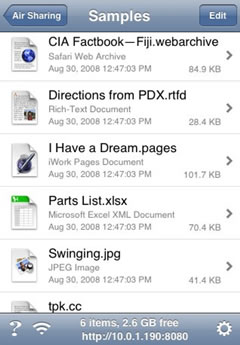
Mount your iPhone or iPod touch as a wireless drive on any Mac, Windows, or Linux computer.
Drag-drop files between your iPhone or iPod touch and your computers.
View documents in many common format. Familiar Finder-like file browser. Prominent display of available space. Check the developers website for more info. Available for $ 6.99
OpticsCalc

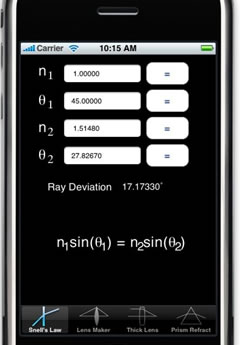
OpticsCalc is a handy optical calculator for the iPhone and iPod Touch for everyone from students to engineers who know optical theory, but need a quick and efficient way to perform common calculations. It frees your mind from having to remember all the equations, and lets you concentrate on solving the problem at hand! Available for Eur 2.99
10base-t interactive

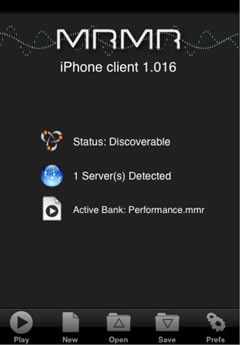
Mrmr is a technology that enables you to use ordinary cell phones and PDAs as controllers in audio-visual performances, or to participate in interactive museum exhibits, or to use your mobile device in the place of the mouse or trackpad from your full-size computer.
Airdesign Chair

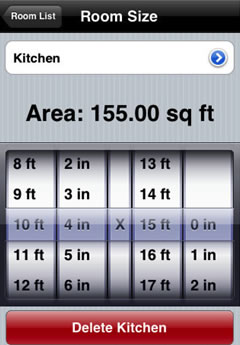
Home Sizer is the perfect tool for anyone wanting to estimate the size and function of their dream home, or to just calculate the square footage of an existing home. Currently only provides for measurements in feet & inches. Available for $0,79
Palettes

Palettes is a productivity tool for creating and maintaining color palettes. You may create any number of palettes. Create palettes from images and web sites. Add colors from several color models, web sites, color lists, images, or by entering CSS color strings. Available for Eur 3,99
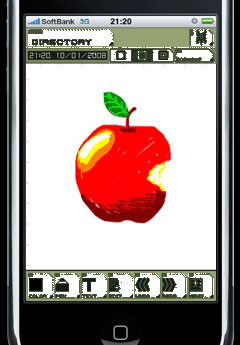
ZeptoPad

ZeptoPad changes as you add your ideas: sketch; mindmap; design; planning; and so on. You can scribble on the iPhone screen and also type text from the virtual keypad. You can drag and move text or picture elements at any time, cut, paste, and resize. When you meet other users of ZeptoPad, you can send a worksheet to another iPhone directly. ZeptoPad - the only limit is your imagination!
Available for $7,99
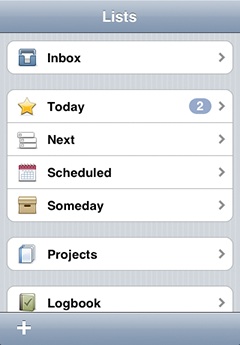
Things

Other task managers either oversimplify or are too difficult to use. Either way you are not getting stuff done. Things instead has the right balance between ease of use and powerful features. With Things’ elegance and beautiful design, procrastinating never looked less attractive.
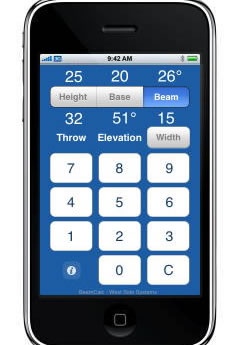
BeamCalc

Enter the light’s height above the target and distance across the floor. BeamCalc shows the resulting throw distance and elevation angle. Enter the light’s beam size in degrees to calculate the pool width. Adjust beam size or location to achieve required pool size. BeamCalc works with any units: feet, inches, centimeters, … even miles. Available for Eur 1,59
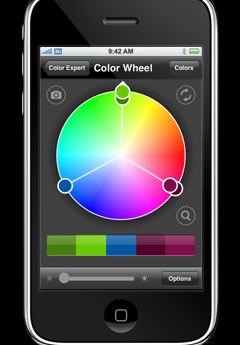
ColorExpert

Color Expert contains powerful tools to help artists and designers identify, translate, capture and showcase color. Designers know inspiration can come anywhere at anytime. Just look around. Some of the best ideas are waiting for you in the real world away from the studio. Now with Color Expert, you’ll have the tools to capture the moment, the moment a color captures you. Available for $9,99
Files

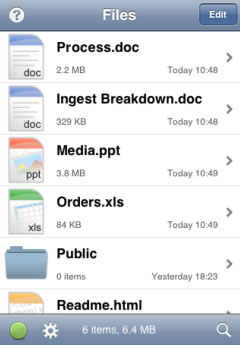
Files allows you to store and view files on your iPhone or iPod touch. You can connect to Files from any Mac or PC and drag and drop files straight from the Finder or Windows Explorer, as you would with any other shared folder. In fact any client which understands the WebDAV protocol can connect to Files, available for £3.99.
BeamMe

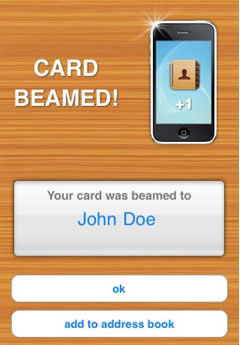
beamME allows you do send your personal or business card from your iPhone to any other mobile device or computer, including BlackBerries, Android phones, Treos, Macs, PCs and more.
i41CX+

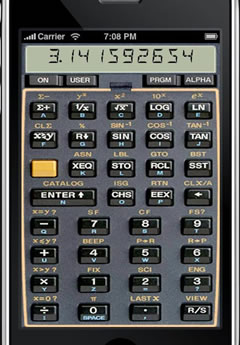
Advanced programmable and expandable RPN scientific calculator with virtual thermal printer/plotter suitable for a wide variety of scientific, engineering, mathematical, financial, and technical applications. Available for Eur 11,99
iBlueSky

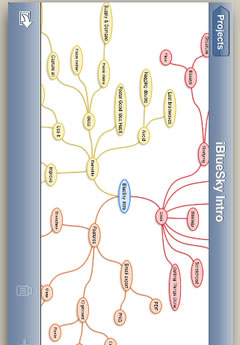
BlueSky is a brainstorming and mind-mapping solution for the iPhone and iPod Touch. Collect and organise ideas you have at odd moments, then email the complete project in PDF and PNG formats to any contact. You can even print a hard copy of your work from the PDF file. Availabe for Eur 5,99
Equivalence

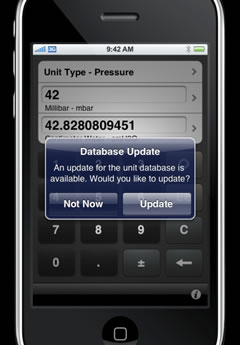
Equivalence is the last conversion tool you’ll ever need. Designed from the ground up by engineers and for engineers, Equivalence makes your tedious, day-to-day conversions between unit systems a breeze. Less intensive conversions are even easier, which makes it great for simple and advanced users alike. Available for Eur 3,99
Units

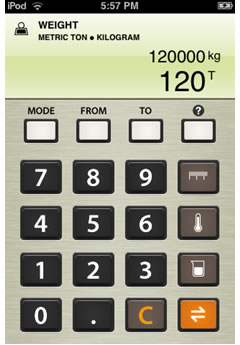
Units is a simple unit conversion utility for the iPhone/iPod Touch. Unlike most other unit converters, Units looks and works a lot like a calculator. You punch in digits and Units does the conversion on the fly. Easy for converting typographic points to milimeter or inches. Available for $0,99
Scale Rule

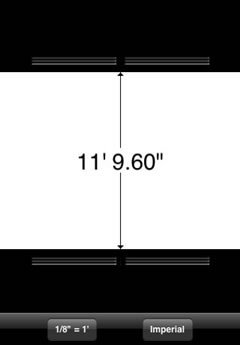
The app is essentially a caliper, the top and bottom jaws can be freely dragged while the distance between them is constantly updated in the middle. White areas are being measured, black areas are not. You can switch between metric or imperial measurements with one click. Selecting the scale button will give you a list of over 100 commonly used scales to choose from. Available for $0,79
Caliper

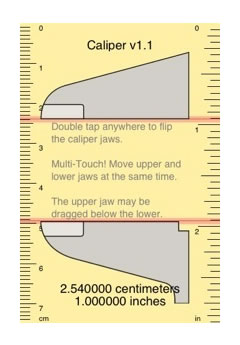
Adjustable caliper jaws for pixel-precise measurements
Multi-Touch control - move upper and lower caliper jaws simultaneously. Available for Eur 0.79
Google Calender

View your schedule from anywhere. Check your Google Calendar schedule from anywhere on your iPhone. Browse any day to see all scheduled events at a glance. Add events on the fly. Type event details, press “Add now” and you are good to go. Google Calendar will add the event to your schedule.
Order Design Work

Looking for a designer? Now you can get quotes on graphic design work directly off your iPhone/iPod touch. You can choose from iPhone pages, widgets, websites, logo design, postcards, business cards, brochures, 3D images, and even flash and 3D animation. 18 years of experience with clients such as a PGA tournament, Miller Brewing, NBC Universal, Snap-On Tools, Johnson Wax, American Heart Association and many small and mid size companies.
Dexigner News & Events

Dexigner application delivers latest design news, events, exhibitions, conferences, and design competitions. Get latest design news, current & upcoming design events and design competitions from Dexigner Design Portal on your iPhone/iPodTouch.
Show me your favourite iPhone Apps
Please let me know in the comments about your favourite iPhone app that changed the way you design have another workflow or any other purpose your want to share. Thank you!


40 Responses to “20+ iPhone Apps every designer should know”
Vincent
October 28th, 2008
Nice collection. I wish I had an iPhone to use them! Saved for possible future use.
1.
Sander Baumann

October 28th, 2008
Hi Vincent - Thanks! I really enjoy the possibilities of the iPhone, I always was a Nokia user but the iPhone took me about 1 day to get to know. It blends in really good with my life.
2.
bill williams
October 29th, 2008
you have stated that many of these are free…when in fact they are not !!!
3.
macoteca
October 29th, 2008
Good list but things is not free (at least when i bought it)…
Another great aplication is Evernote, you can sync notes, images, etc.
4.
Sander Baumann

October 29th, 2008
Hi bill williams - Thank you for your comment. In the post I mentioned that some are free and some are paid. I believe these apps are great and that the amount paid for is well worth the money.
Hi macoteca - Thanks for your comment, appreciated. Thank you for pointing out Evernote, seems like a great app for iPhone. Here is a direct link to Evernote (browse with your iPhone).
5.
Eric Hillerns
October 30th, 2008
Excellent list! Thanks for sharing. There were a couple that were totally new to me. I’m also using Evernote and like it very much.
6.
Sander Baumann

October 30th, 2008
Hi Eric Hillerns - Thanks for your appreciated comment and recommendation for Evernote, used it also and liking it very much.
7.
Art Webb
October 30th, 2008
I would also include cliqcliq - http://www.cliqcliq.com/. It scans a photo and gives you the color values of the colors in the photo. And it’s only $2.99.
8.
Sander Baumann

October 31st, 2008
Hi Art Webb - Thank for sharing your iPhone App, looks like a great application. These kind of apps are a very interesting development in the usage of mobile devices and your daily (design) life. Good luck with the development of your iPhone App. Thanks for your comment, much appreciated.
9.
martin
November 2nd, 2008
“air Mouse” cost about $8 it uses your iphone as a mouse or a touch pad amazing product it is! One of the most used tools
10.
Sander Baumann

November 2nd, 2008
Hi Martin - Thanks for the mention of the iPhone App Air mouse, great addition where there is no mouse around.
11.
10dier
November 18th, 2008
Hi Sander,
Thanks for sharing this useful list of iPhone apps for designers, very well done.
I know it’s out of the topic, but I can’t resist to share with you Noise.io (http://noise.io/), a “unique, new-generation sound synthesizer for iPhone / iPod Touch featuring revolutionary user interface and technologies: ESFM, ControlSurface, SoftRibbon and many more” as they say, and I must confess: I can’t live without now anymore! : ) Tell me what you think about it if you have the chance to buy it!
Cheers, Didier
12.
Sander Baumann

November 18th, 2008
Thanks 10dier - for sharing your favourite iPhone app, I have seen the flute but this is just unbelievable. A small but complete sound studio in your iPhone for just 7,99. Checking it out now! Thanks again.
13.
10dier
November 25th, 2008
; )
14.
Ingrid Blanco
December 5th, 2008
Thank you so much for this list. A few of which I have. Color Expert which I love. A little Pantone book in my back pocket, Awesome!!!!
15.
Sander Baumann

December 5th, 2008
Thanks Ingrid Blanco - for your comment. I used the color expert a few times and I am pleasantly surprized by it accuracy.
16.
Gopal Raju
December 27th, 2008
Great apps. Thanks for sharing. Gopal
17.
Steve Firth
December 31st, 2008
Just went to get “Files” and it’s £3.99
18.
Andy Potanin
January 1st, 2009
Just bought Things, the to do list manager, well worth the $10, amazing app!
19.
Sander Baumann

January 2nd, 2009
Thank you Gopal Raju for your comment.
Hi Steve Firth - thank you for the mention, I will update the post above, appreciated.
Thanks Andy Potanin - good to see the iPhone apps are working for you. I enjoy using my iPhone everyday! Appreciated feedback.
20.
Viv Singh
January 2nd, 2009
How can you miss our beloved Wordpress
( Every graphics designer maintains a blog now, right? ) http://iphone.wordpress.org/
21.
10dier
January 5th, 2009
My little piece, my Fav iPhone apps: http://tinyurl.com/5qeus8
Check it out!
Happy new (iPhone) year!
22.